 Pesgames Download Latest Pro Soccer Games
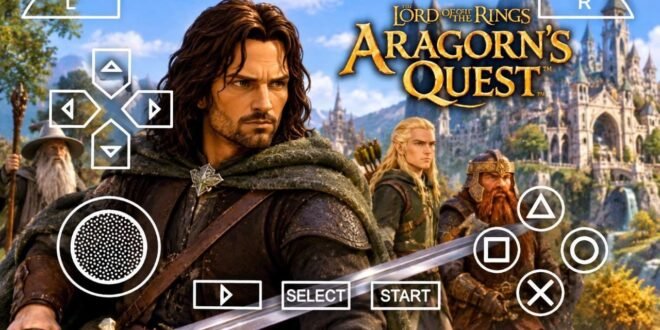
What would it feel like to step into Middle-earth as Aragorn, fight Sauron’s forces, explore familiar fantasy locations, and experience some of the most memorable battles from The Lord of the Rings trilogy? That’s exactly what The Lord of the Rings: Aragorn’s Quest offers.
Released in 2010, Aragorn’s Quest takes players through an action-adventure journey inspired by the famous movie trilogy. You control Aragorn, use different weapons, fight dangerous enemies, and relive important moments from his journey toward becoming king.
The game still attracts attention from Android gamers who enjoy classic PSP adventures. But before searching for The Lord of the Rings: Aragorn’s Quest Android Game APK, there’s something important to understand: the original game never received an official Android release.
However, Android users can explore its PSP version through a compatible emulator such as PPSSPP, using a legally obtained copy of the original game.
Let’s look at what makes this classic adventure worth remembering.
What Is The Lord of the Rings: Aragorn’s Quest?
The Lord of the Rings: Aragorn’s Quest is an action-adventure game published by Warner Bros. Interactive Entertainment. TT Fusion developed the versions for several platforms, while Headstrong Games handled the Wii version.
The game arrived in September 2010 for platforms including PlayStation 2, PlayStation 3, PlayStation Portable, Nintendo DS, and Wii. It takes inspiration from the events of the Lord of the Rings film trilogy. <Cite refs={[“turn991175search0″,”turn991175search1”]}/>
Instead of following the films scene by scene, the game presents Aragorn’s adventures through stories that Samwise Gamgee tells his children.
That storytelling approach gives the adventure a family-friendly feeling while allowing players to experience Aragorn’s battles.
Some of the main attractions include:
- Third-person action gameplay
- Sword-based combat
- Bow and spear attacks
- Fantasy environments
- Enemies inspired by Middle-earth
- Weapon and armour upgrades
- A story connected to the Lord of the Rings trilogy
- Exploration and combat challenges
If you enjoy older adventure games with straightforward controls and a clear story, Aragorn’s Quest offers a familiar style.
Is Aragorn’s Quest Available on Android?
This is the most important question for anyone searching for the Android APK.
No official Android APK exists for the original The Lord of the Rings: Aragorn’s Quest.
Warner Bros. released the game for Sony and Nintendo platforms, including PSP, but the original release did not include Android. <Cite refs={[“turn991175search0″,”turn991175search1”]}/>
You may find websites advertising an Aragorn’s Quest APK, OBB, or DATA package. However, those files do not automatically represent an official Android version.
Some websites may use the game’s name to promote unrelated applications or unofficial ports.
If you want to experience the original game on an Android phone, the PSP version offers a more credible route through emulation.
Aragorn’s Quest Story and Adventure
The story follows Aragorn’s journey through Middle-earth as he fights the forces of Sauron.
Samwise Gamgee provides the storytelling framework. He remembers Aragorn’s adventures and shares those stories with his children while preparing for the king’s return.
This structure connects the game’s events with the wider Lord of the Rings story.
Explore Middle-earth
The game takes you through colourful fantasy environments inspired by the films.
You encounter different locations, enemies, and combat situations as Aragorn continues his journey.
Rather than presenting a completely open world, the game focuses on structured levels and missions.
That design keeps the adventure moving without overwhelming players with complicated navigation.
Relive Famous Battles
Aragorn faces different enemies throughout the adventure.
You fight orcs, goblins, trolls, and other dangerous creatures that threaten Middle-earth.
Each encounter gives you another opportunity to use your weapons and improve your combat approach.
For fans of the films, recognising familiar enemies and locations adds another layer of enjoyment.
Gameplay Features
Aragorn’s Quest uses a third-person perspective that keeps Aragorn visible during exploration and combat.
The controls focus on accessible action rather than complicated fighting mechanics.
You can move through environments, attack enemies, defend yourself, and use different weapons to handle combat situations.
Sword Combat
The sword serves as Aragorn’s main weapon.
You use it to attack nearby enemies and defend yourself during close-range encounters.
The combat system focuses on straightforward attacks that newcomers can understand without spending hours learning complicated combinations.
Bow and Arrow
The bow gives you another way to approach enemies.
Instead of moving directly into every fight, you can use ranged attacks when the situation allows.
This adds some variety to the combat experience.
Spears and Other Weapons
Aragorn can also use spears and other equipment during his adventure.
Different weapons give you alternative ways to approach enemy encounters.
The variety helps prevent every battle from feeling exactly the same.
Weapons, Armour and Character Upgrades
One interesting part of Aragorn’s Quest involves improving Aragorn as the adventure progresses.
You can unlock abilities and upgrade equipment to strengthen your character.
These improvements give you more options during combat.
Upgrade Your Weapons
Weapon upgrades help Aragorn handle tougher enemies.
As you progress, you can improve your combat abilities and develop a fighting style that suits your preferences.
Improve Armour
Armour upgrades add another progression element.
They help you prepare for more challenging encounters as the adventure continues.
Unlock Combat Abilities
The game also includes abilities that expand Aragorn’s combat options.
You can develop your character gradually rather than relying on the same basic attacks throughout the entire adventure.
This progression system gives players a reason to explore the available upgrades.
Graphics and Visual Experience
Aragorn’s Quest uses a colourful visual style instead of trying to recreate every movie scene with photorealistic graphics.
The environments feature fantasy landscapes, recognisable enemies, and character models designed around the game’s accessible presentation.
The PSP version naturally has lower graphical detail than the PlayStation 3 and Wii versions.
However, that doesn’t mean it cannot provide an enjoyable experience.
Character Models
Aragorn remains the centre of attention throughout the adventure.
The game includes character designs inspired by the Lord of the Rings universe.
Enemies also feature different appearances, helping players recognise the creatures they encounter.
Fantasy Environments
The game uses colourful environments that represent the world of Middle-earth.
You can explore different locations while completing missions and fighting enemy groups.
Visual Performance on PSP
The PSP version makes some visual compromises to run on Sony’s handheld hardware.
Compared with modern Android games, its graphics may look dated.
Still, fans of classic PSP adventures may appreciate its straightforward presentation and nostalgic style.
How to Play Aragorn’s Quest on Android
Although the original game does not have a native Android version, Android users can explore the PSP release through PPSSPP.
PPSSPP is a PSP emulator that allows compatible Android devices to run PSP games.
You need a compatible emulator and a legally obtained copy of the original PSP game.
General Setup
Follow these general steps:
- Install PPSSPP from its official source.
- Obtain your own legally sourced copy of The Lord of the Rings: Aragorn’s Quest for PSP.
- Transfer your game backup to your Android phone.
- Open PPSSPP.
- Navigate to the folder containing your game.
- Select the game and check whether it runs correctly.
- Adjust the graphics and controls to suit your device.
The exact performance depends on your phone’s processor, graphics hardware, memory, and emulator settings.
PPSSPP Graphics Settings
You can experiment with these settings to find a balance between image quality and performance:
- Rendering resolution: Start with the default setting and increase it if your phone handles the game smoothly.
- Texture filtering: Try different options to improve the appearance of older textures.
- Frameskipping: Leave it disabled initially, then test it if performance drops.
- Backend: Try the available graphics backends if you experience rendering problems.
- Controls: Adjust the virtual buttons to make sword combat and movement comfortable.
Avoid increasing every graphics option immediately. A stable experience matters more than unnecessarily high settings.
Android System Requirements
PPSSPP supports a wide range of Android devices, but performance varies between phones.
For a smoother experience, consider these general recommendations:
| Component | Recommendation |
|---|---|
| Android version | A supported modern Android version |
| RAM | 2 GB minimum recommended for basic testing |
| Processor | A reasonably capable multi-core processor |
| Storage | Enough free space for the emulator and game backup |
| Graphics | Compatible graphics hardware |
| Emulator | PPSSPP |
These are general suggestions rather than official requirements from the original game publisher.
A newer phone may handle higher rendering resolutions more comfortably, while an older budget phone may need default graphics settings.
Game Modes and Multiplayer
The available modes depend on which platform version you play.
The PSP version focuses primarily on its single-player adventure.
Some other versions offer additional multiplayer features. For example, the game supports cooperative play on certain platforms, but you should not assume that every version includes the same options. <Cite refs={[“turn991175search2″,”turn991175search3”]}/>
This distinction matters when choosing which version you want to experience.
If you mainly want Aragorn’s story, the PSP version provides the central adventure.
Why Players Still Enjoy Aragorn’s Quest
Older action-adventure games have a particular appeal.
They often focus on straightforward gameplay, recognisable characters, and a clear objective.
Aragorn’s Quest combines those qualities with a popular fantasy universe.
Here are a few reasons players may enjoy it:
- Familiar story: It draws inspiration from the Lord of the Rings trilogy.
- Simple controls: Players can learn the combat system without a steep learning curve.
- Weapon variety: Sword, bow, and spear combat provide different approaches.
- Character progression: Equipment and abilities give you reasons to keep playing.
- Classic PSP experience: The handheld version offers an opportunity to revisit a 2010 adventure.
The game also takes a lighter approach to the source material, making it more accessible to younger players and casual adventure fans.
Common Problems When Playing on Android
Playing an older PSP game through an emulator can sometimes introduce technical problems.
Here are a few issues you might encounter.
Game Does Not Appear in PPSSPP
Check that your game backup uses a supported format and that PPSSPP can access the folder containing it.
You should also check the file for corruption.
Slow Gameplay
Try reducing the rendering resolution and closing unnecessary background applications.
Older Android phones may struggle with higher graphics settings.
Black Screen or Crashes
Check your game backup and emulator version.
You can also experiment with the available graphics backends to see whether a different option improves compatibility.
Uncomfortable Controls
Adjust the virtual buttons and their positions.
You can also use a compatible physical controller if your device supports it.
Is The Lord of the Rings: Aragorn’s Quest Worth Playing?
If you enjoy fantasy adventures, sword combat, and games inspired by famous movies, Aragorn’s Quest deserves a look.
It doesn’t offer the enormous open world or complex combat systems of modern action RPGs.
Instead, it focuses on an accessible adventure with familiar characters, colourful environments, and straightforward progression.
The PSP version also makes it an interesting option for Android users who enjoy classic handheld games through emulation.
However, keep your expectations realistic. This is a 2010 PSP game, not a modern Android release with high-resolution mobile graphics.
Final Thoughts
The Lord of the Rings: Aragorn’s Quest remains an enjoyable classic action-adventure game for fans of Middle-earth.
It combines Aragorn’s journey, sword combat, ranged weapons, fantasy environments, and character upgrades into a straightforward adventure inspired by the famous film trilogy.
Although the original game does not have an official Android APK, you can explore its PSP version through PPSSPP with a legally obtained game copy.
If you enjoy classic PSP adventures, this is one title worth adding to your gaming collection.
Choose your weapons, prepare for battle, and get ready to defend Middle-earth. Aragorn has another adventure waiting.